Protect & Assist text alerts
Last updated: October 1, 2026
Protect & Assist can send short text alerts to family members and caregivers who sign up for them, about the person they help look after. Each person signs up their own phone. Here is what we send, how to sign up, and how to stop.
Sign up for text alerts in SettingsAt a glance
- Sent by
- Protect & Assist
- What
- Care alerts about someone you help look after
- Who gets them
- Only people who sign up their own phone
- How often
- Message frequency varies
- Cost
- Message and data rates may apply
- To stop
- Reply STOP
- For help
- Reply HELP
Who sends these texts
Protect & Assist sends them. Each alert comes from the Protect & Assist phone number set up for the person the alert is about.
What the texts say
Alerts are short. The full details are in your Protect & Assist dashboard. An alert can tell you that:
- a medication reminder call was not confirmed
- a wellness concern was reported during a check-in call
- a possible drug interaction was found when a prescription was approved in the care plan
- a caller who said they were family could not be confirmed and was not put through, or was put through without a check
- the daily check-in call wasn't answered or couldn't be made, or your loved one may need help or didn't clearly say they were OK on it
- a new number keeps calling your loved one, and money came up or they talked for a long time
You also get a reply when you text STOP, START or HELP. We don't send marketing texts.
How often
Message frequency varies. How many alerts you get depends on how often those events happen.
How to sign up
Text alerts are optional. We send them only to numbers that have been signed up, in one of the two ways below. Sign up only your own phone.
1. On the web, with a checkbox
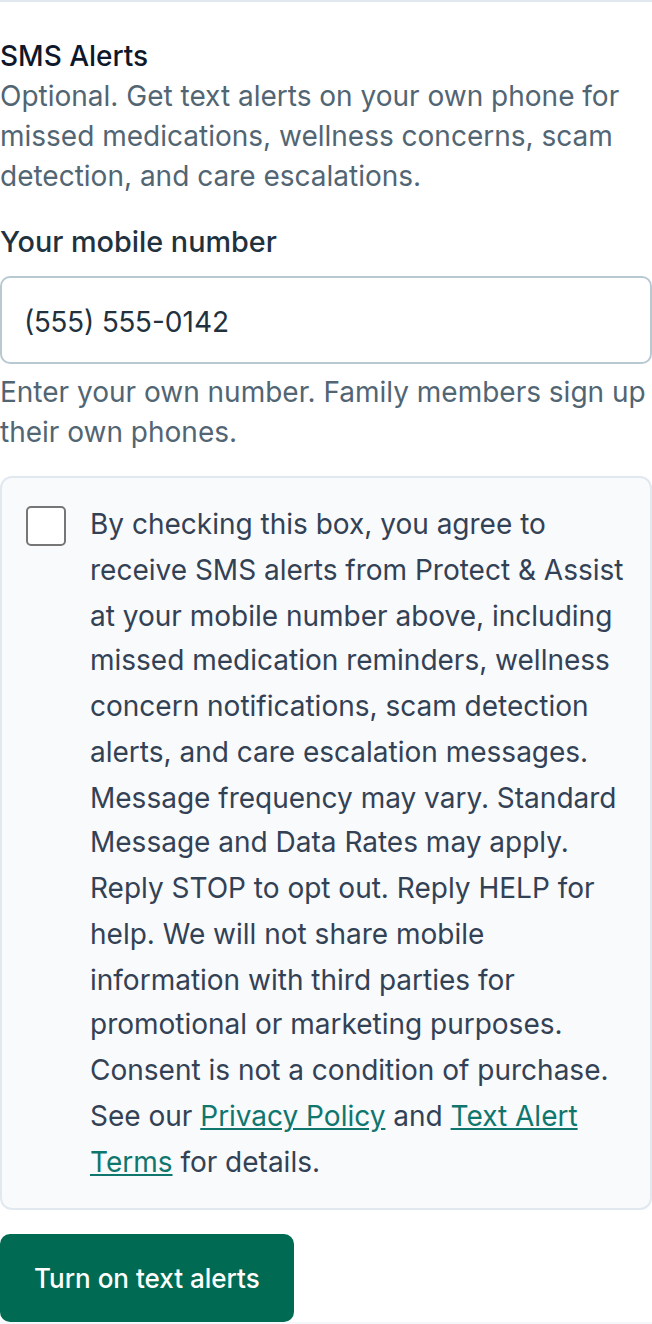
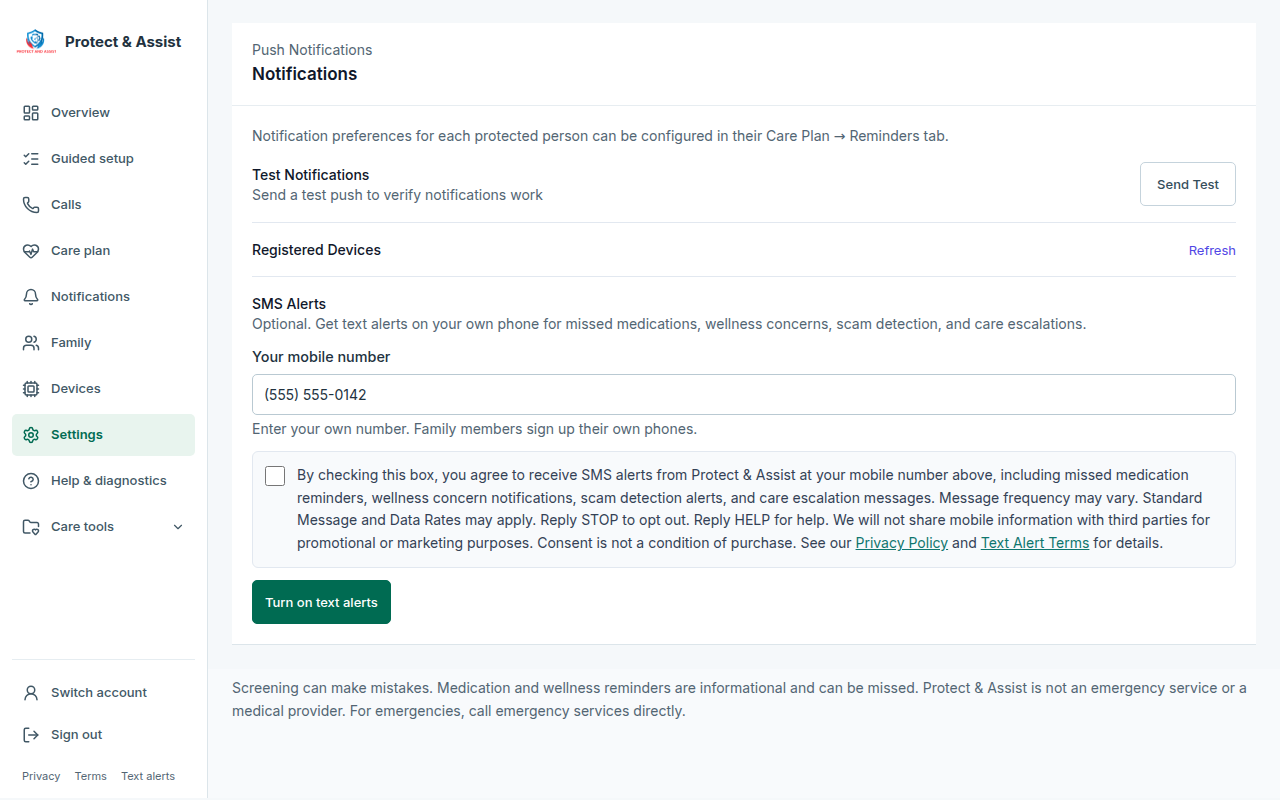
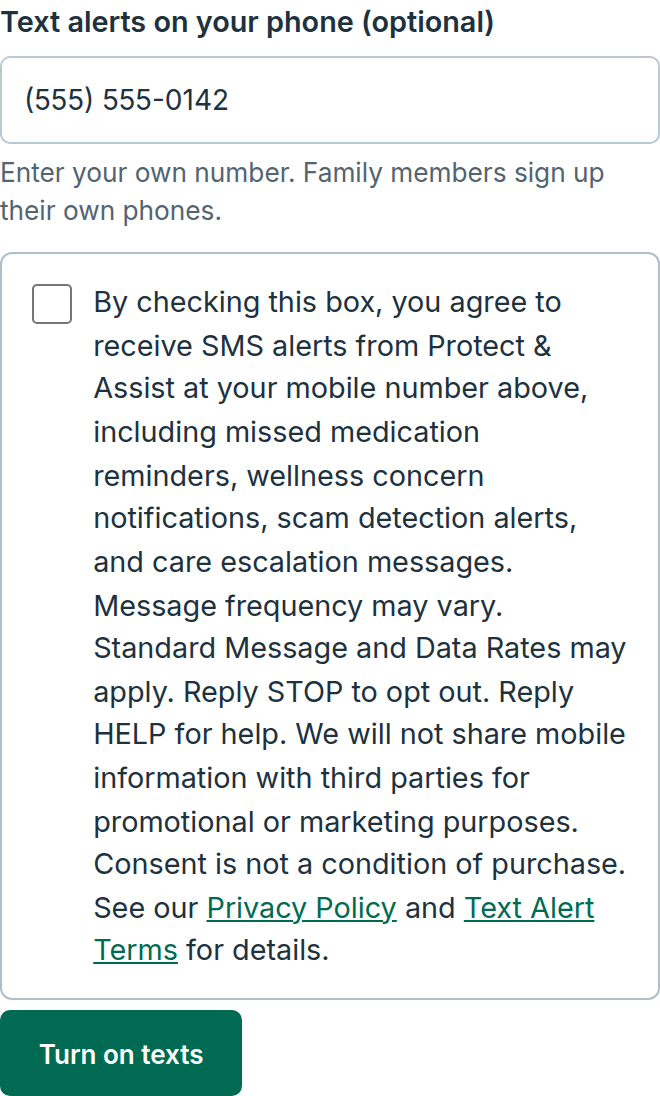
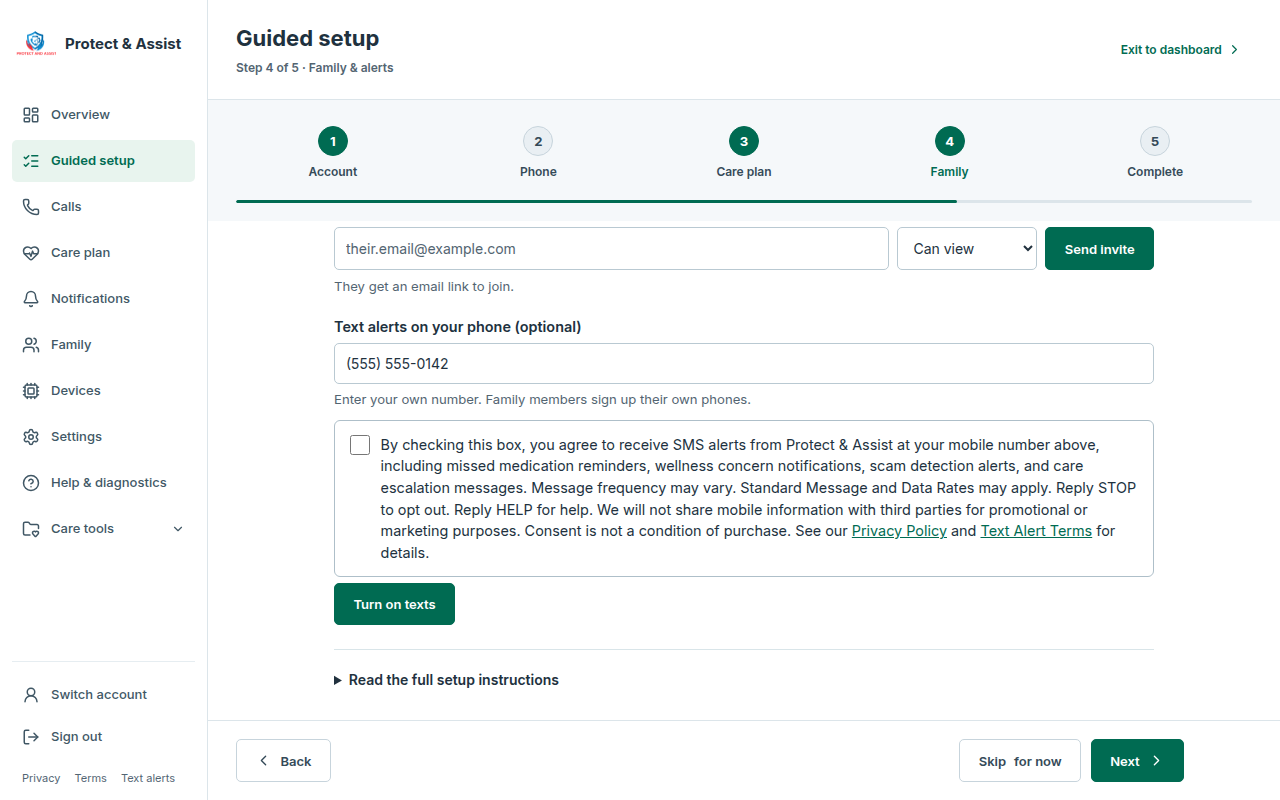
Sign in at portal.protectandassist.com, open Settings in the left menu, choose the Family tab, and find SMS Alerts in the Notifications card. After signing in, portal.protectandassist.com/settings.html#notifications-section opens it directly. New accounts see the same form in the guided setup's Family & alerts step. Enter your own mobile number, check the box, and choose Turn on text alerts (Turn on texts in the guided setup). The box starts unchecked. If you leave it unchecked, nothing is sent, and you can still use Protect & Assist. These are the words next to the box:
By checking this box, you agree to receive SMS alerts from Protect & Assist at your mobile number above, including missed medication reminders, wellness concern notifications, scam detection alerts, and care escalation messages. Message frequency may vary. Standard Message and Data Rates may apply. Reply STOP to opt out. Reply HELP for help. We will not share mobile information with third parties for promotional or marketing purposes. Consent is not a condition of purchase. See our Privacy Policy and Text Alert Terms for details.
Shown next to the checkbox in Settings and in the guided setup
2. By text, from your own phone
Family members who don't sign in to Protect & Assist can sign up by texting START from their own phone to their loved one's Protect & Assist number. Whoever set up the account can find that number in Settings, on the Family tab. We reply:
Protect & Assist: Thanks for subscribing! You'll receive alerts for missed medications, wellness concerns, scam detection, and care escalations. Reply HELP for help. Msg frequency varies. Msg&data rates may apply. Consent not required for purchase. Reply STOP to opt out.
Our reply to START
Who gets the alerts
We text a number only after it has been signed up, in one of the two ways above. Whoever set up the account keeps a family list in Settings, on the Family tab, as Family phones. Being on the list doesn't sign anyone up.
An alert about your loved one is texted to the people on the list who have alerts turned on and have signed up. If nobody is on the list, a possible drug interaction alert goes to your loved one's own phone instead, and only if that phone has been signed up.
How to stop
Reply STOP to any of our texts at any time to opt out. To sign up again, text START.
If you signed up in Settings, you can also turn off text alerts there.
Help
Reply HELP to any of our texts for help, or use one of these:
Costs and consent
Message and data rates may apply.
Text alerts are optional. Agreeing to receive them is not a condition of buying or using Protect & Assist, and accepting our Terms of Service doesn't sign you up for texts.
Limits
Texts can be delayed or not delivered, and carriers are not liable for delayed or undelivered messages. Text alerts are for information only. Protect & Assist is not an emergency service or a medical provider. For emergencies, call emergency services directly.
Terms and privacy
This page sets out the terms of the Protect & Assist text alert program. Our Terms of Service and Privacy Policy also apply: